Inventory App
Type or import your items, tap + and − as stock moves, scan barcodes, and see what is running low. Saved on this device only.
Free · runs in your browser · nothing is uploaded
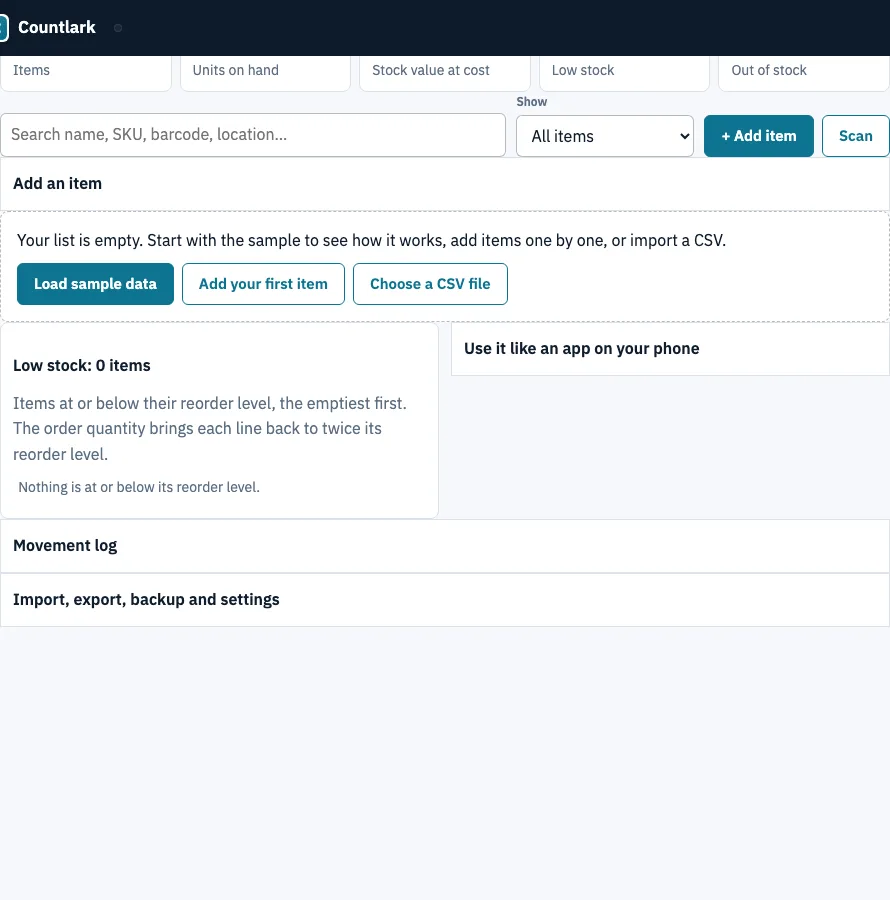
How to use the inventory tracker
- Click ‘Load sample data’ to see a working list, or click ‘+ Add item’ to type your first item. Enter adds it and returns to the first box.
- Click any cell to edit it. Enter saves and moves down the column, Shift+Enter moves up, and Escape restores the old value.
- Use the − and + buttons on a row to take stock out or put it in. Each click is recorded in the Movement log.
- If you made a mistake, click ‘Undo’ in the message that appears, or ‘Undo last movement’ in the Movement log. Undo refuses if the item was edited since.
- Check the dashboard tiles: Items, Units on hand, Stock value at cost, Low stock and Out of stock. Click the Low or Out tile to filter the list.
- Open the ‘Low stock’ panel and click ‘Download reorder list (.csv)’.
- Click ‘Scan’ to read a barcode or QR code with your camera, or type a code into the search box and press Enter.
- To keep a copy, export with ‘CSV of this view’, ‘Download Excel (.xlsx)’ or ‘CSV with every field’.
Click a column header to sort, and use ‘Show’ to filter by category. A USB or Bluetooth scanner that types like a keyboard works too. To install it: Safari Share > Add to Home Screen on iPhone, or the ‘Install app’ button in Chrome, Edge and Android. After the first load, the page works without a connection.
What is an inventory app?
An inventory app is a digital tool that tracks how many units of each item you hold. It shows what is in stock, which items have fallen to their reorder level, and what your stock is worth at cost. “Inventory management app” and “inventory tracker” describe the same kind of tool.
This page applies three simple rules:
- Low stock: an item is low when its quantity on hand is at or below its reorder level. Low items appear in the ‘Low stock’ panel, emptiest first.
- Stock value: each row’s stock value is on hand x unit cost, and the dashboard adds these up.
- Reorder quantity: the order quantity brings an item back to twice its reorder level, so it is (2 x reorder level) minus on hand.
The sample shop has 12 items, 387 units on hand and a stock value at cost of 813.00. Three items are low, and the panel works out their order quantities like this:
| Item | On hand | Reorder at | Order quantity |
|---|---|---|---|
| Cotton tote bag, black | 4 | 25 | 46 |
| Green tea tin | 8 | 15 | 22 |
| Ceramic mug, green | 12 | 20 | 28 |
For the mug, 2 x 20 = 40, and 40 minus 12 on hand means order 28.
How do I move my inventory list to another phone or computer?
Download a backup from the device that has your list, then restore that file on the other device. The list is saved only in one browser, and there is no sync between phones, so the backup file is how you move it. Keep the file safe, because clearing browser data deletes the list.
- On the device with your list, click ‘Download backup (.json)’ and save the file somewhere you can reach from the other device.
- Open this page on the new phone, tablet or computer, in the browser you plan to use.
- Click ‘Restore a backup’ and choose the .json file.
- Check that the Items tile on the dashboard shows the same count as the first device.
Frequently asked questions
Does Google have an inventory app?
Many people keep stock in Google Sheets, which can hold a list but has no scanning, low-stock panel or movement log built in. This page is not a Google product, but it imports cells copied from Google Sheets.
What is the best free inventory app?
The best choice depends on how you work. This page is free, needs no account and keeps its list in one browser, so it suits one person on one device.
What is the best app to check store inventory?
Use the ‘Scan’ button, or a USB or Bluetooth scanner, to find an item by its barcode in the list. The list lives on one device, so several tills or staff members cannot share it live.
Can I import my Excel inventory list?
Yes. Save the .xlsx file as CSV or paste its cells, then choose ‘Check columns’ and set a ‘Goes into’ choice for each column. Column names in English and ten other languages are recognised.
Is there an inventory app for iPhone or Android?
Yes, the page works as an app on both. On iPhone, use Safari’s Share menu and choose Add to Home Screen. On Android, tap ‘Install app’ when the browser offers it.
Related tools
- Small business inventory software: choose this when you need sale prices, margins and purchase orders grouped by supplier.
- Inventory management app: a phone-first receive, issue and count screen for the same list.
- Bar inventory app: use this when you count bottles in tenths behind a bar and need pour cost.
- Asset tracking app: use this to follow equipment and fixed assets rather than items you sell.
- Tool tracking app: use this to check tools out to people and see which are overdue.
- Inventory count sheet: use it to run a blind count and see the variance.